






Is Your Multi-Instance Setup Actually Ready for the ServiceNow Brazil Upgrade?
Managing a multi-instance ServiceNow environment across Development, Test, Stage, and Production demands strict operational alignment—especially during a major version transition like the Brazil release. Moving a complex multi-instance setup to Brazil isn't just about applying a patch; it requires managing schema migrations, refactoring custom workflows, and coordinating cross-instance data dependencies without causing downtime for business units.
Key Technical Challenges in Multi-Instance Brazil Upgrades
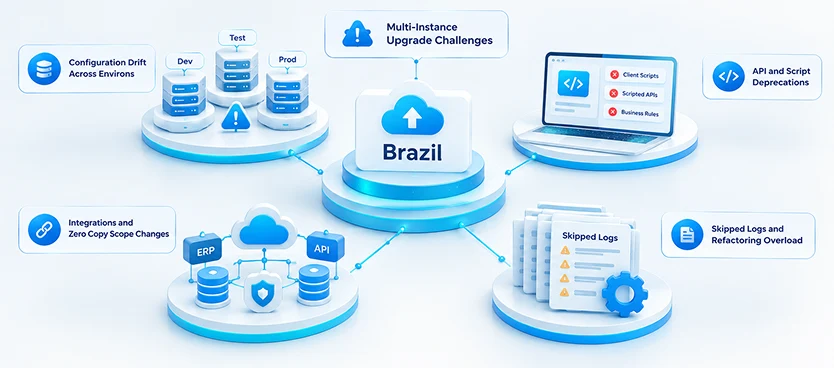
Multi-instance deployments face unique architectural friction when upgrading across major releases:
- Configuration Drift Across Environs: Over time, sub-production environments diverge from Production due to ad-hoc update sets, uncommitted patches, or delayed cloning. Upgrading to Brazil with uncoordinated configurations causes update set collisions and broken dependency chains.
- API and Script Deprecations: Brazil enforces stricter ECMAScript guidelines and updates core runtime libraries. Legacy client scripts, custom Scripted REST APIs, and sys_script Business Rules that worked in older instances will break when promoted through sub-prod pipelines.
- Integrations and Zero Copy Scope Changes: Brazil introduces native Zero Copy ERP connectors and enhanced OAuth governance. If API endpoints or network egress rules aren't aligned across sub-production and production, cross-system workflows will fail post-upgrade.
- Skipped Logs and Refactoring Overload: Reviewing hundreds of skipped update logs across multiple instances consumes valuable internal engineering bandwidth, delaying deployment schedules and increasing operational risk.
Step-by-Step Multi-Instance Migration Strategy
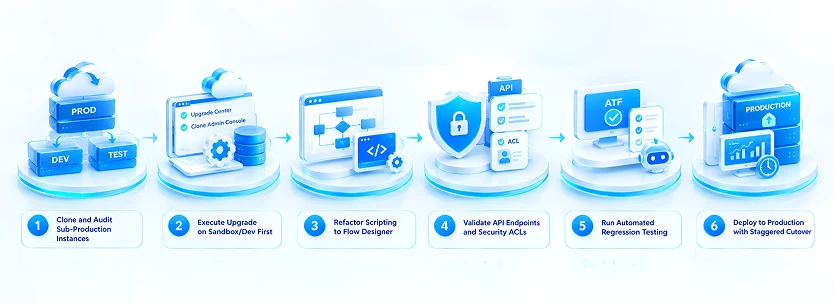
To execute a clean, predictable rollout to Brazil across your entire instance stack, follow this phased execution blueprint:
- Clone and Audit Sub-Production Instances: Clone Production back down to Dev and Test prior to triggering the upgrade. This eliminates configuration drift and establishes an accurate baseline.
- Execute Upgrade on Sandbox/Dev First: Apply the Brazil release in Sandbox or Development. Utilize the upgraded Upgrade Center and Clone Admin Console to systematically process skipped update logs and resolve code conflicts.
- Refactor Scripting to Flow Designer: Convert legacy wf_workflow activities and custom JavaScript into native Flow Designer actions and Integration Hub spokes before moving to higher environments.
- Validate API Endpoints and Security ACLs: Audit all custom REST endpoints and Access Control Lists (sys_security_acl) to verify that requires_authentication flags and scope restrictions remain locked down.
- Run Automated Regression Testing: Execute Automated Test Framework (ATF) test suites in your Test/Stage environment to validate business-critical workflows, catalog items, and integrations under load.
- Deploy to Production with Staggered Cutover: Schedule the Production upgrade during low-volume windows, promote tested update sets, and monitor transaction logs (syslog) in real time.
Streamline Your Brazil Upgrade with TopTech
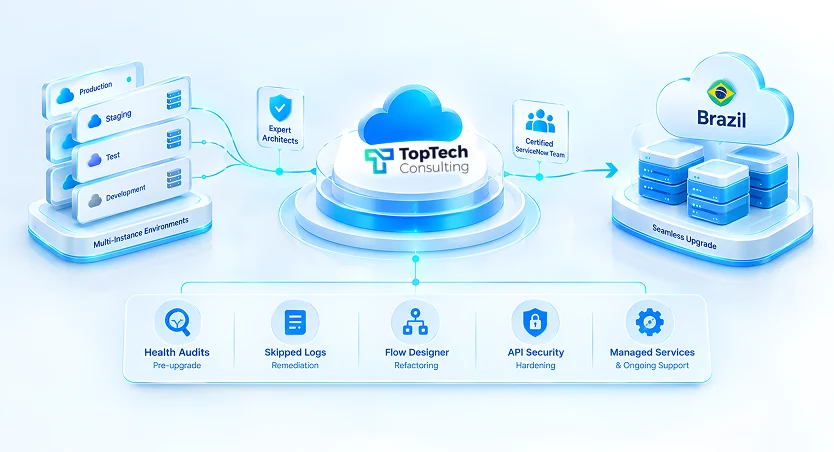
Navigating multi-instance upgrades requires seasoned platform architects who know how to mitigate risk, eliminate technical debt, and ensure zero disruption to daily business.
The specialized team at TopTech provides end-to-end upgrade management for multi-instance enterprise environments. From comprehensive pre-upgrade health audits and skipped log remediation to complete Flow Designer refactoring and API security hardening, TopTech delivers turn-key technical execution.Whether you need targeted upgrade assistance or full-spectrum managed services, TopTech arms your enterprise with certified ServiceNow experts to execute a seamless transition to the Brazil release.