







What Zero Trust Actually Means for Your Salesforce Org
For years, enterprise cybersecurity relied on a perimeter defense model, the digital equivalent of a walled castle surrounded by a deep moat. Once a user cleared the front gate with a username and password, they were granted free movement inside the system. However, adopting Zero Trust for your Salesforce org completely upends this outdated assumption by operating under a single, unwavering core principle: never trust, always verify. In this guide, we break down what a Zero Trust architecture looks like in practice, why traditional perimeter security fails modern cloud platforms, and how we can implement continuous verification to protect critical CRM data assets.
The Strategic Shift: Moving Beyond the "Castle-and-Moat" Model
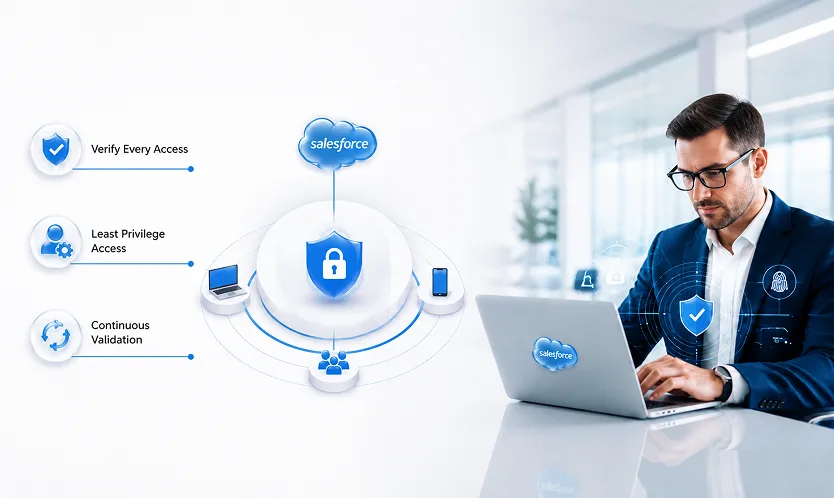
Traditional network security assumed that anything or anyone inside the corporate network was inherently safe. However, in an era dominated by remote work, third-party AppExchange integrations, and public-facing portals, that perimeter no longer exists.
Why Modern CRM Environments Are Prime Targets
Your Salesforce environment is no longer just a digital address book, it houses sensitive customer records, financial forecasts, proprietary deal terms, and personally identifiable information (PII). When an unauthorized actor compromises credentials or an employee logs in from an unsecured personal device, perimeter security offers zero internal protection.The Core Philosophy of Zero Trust
Zero Trust does not mean treating your workforce with suspicion; it means removing implicit trust from your digital architecture. Every access request, regardless of whether it originates from an executive in the corporate office or a remote sales rep, must be explicitly authenticated, authorized within a minimal scope, and continually validated against risk context.Analogy: Traditional security operates like a VIP building badge that lets you wander into any executive suite or file room once you pass the front desk lobby. Zero Trust operates like a high-security facility where every single door requires a fresh keycard tap, biometric scan, and time-stamped clearance check before opening.
The 3 Pillars of Zero Trust in Salesforce Architecture
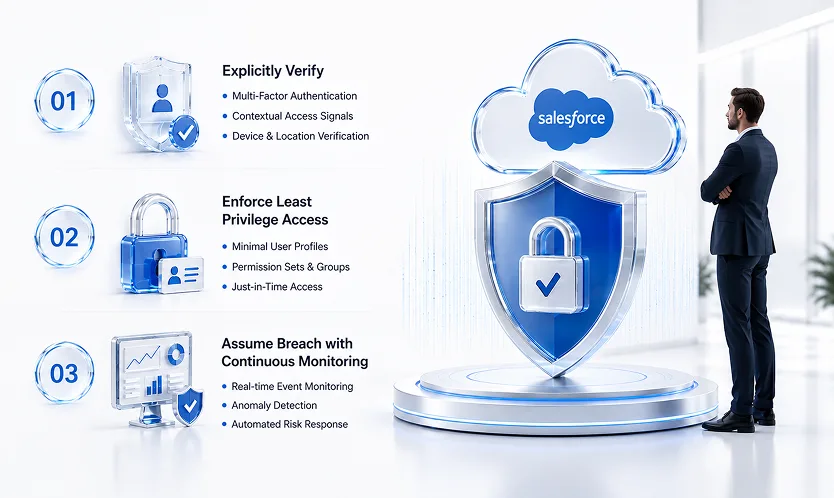
Implementing Zero Trust across your Salesforce ecosystem does not require replacing your entire tech stack. Instead, it relies on reinforcing three fundamental operational pillars.
Pillar 1: Explicitly Verify Identity and Context
Authentication must go far beyond checking static credentials. A Zero Trust setup evaluates login attempts dynamically using multiple contextual signals:- Strong Authentication: Enforcing Multi-Factor Authentication (MFA) or SSO with hardware key support.
- Network and Location Bounds: Restricting login IP ranges and blocking access from suspicious geographical regions.
- Device Health Signals: Verifying that incoming traffic originates from managed, corporate-compliant endpoints.
Pillar 2: Enforce Strict Least Privilege Access
Users should only have access to the exact data required to complete their immediate tasks, nothing more, nothing less. By transitioning away from monolithic custom profiles toward a modular Permission Set and Permission Set Group architecture, we eliminate "privilege creep." Additionally, utilizing dynamic UI elements ensures sensitive fields remain hidden until explicit business criteria are met.Pillar 3: Assume Breach with Continuous Event Monitoring
A mature Zero Trust framework assumes that threats are already inside the system. By leveraging real-time event monitoring tools, administrators can track high-risk user behaviors, such as mass report exports, unusual API queries, or unexpected login times, and automatically trigger step-up authentication or freeze session tokens before data exfiltration occurs.4 Practical Steps to Build a Zero Trust Salesforce Environment
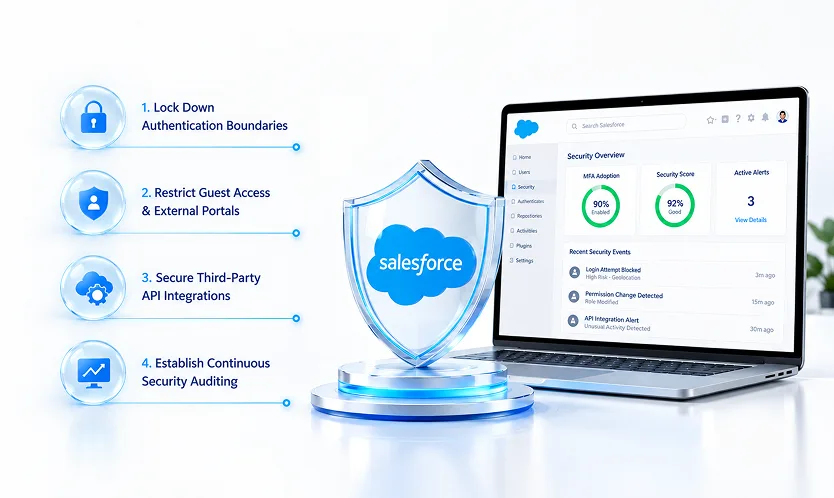
Transitioning your instance toward a Zero Trust posture is an iterative process that begins with tightening access boundaries and auditing system endpoints.
Lock Down Authentication Boundaries
Begin by enforcing Multi-Factor Authentication across every user tier without exception. Configure high-assurance session settings for sensitive administrative actions, requiring reps to re-authenticate before viewing restricted billing data or modifying system configurations.Restrict Guest User Access and External Portals
If your org utilizes public Experience Cloud sites or web-to-lead forms, review guest user sharing rules immediately. Set Default Organization-Wide Defaults (OWD) for guest users to Private, ensuring external visitors cannot read internal records or query back-end database schemas.Secure Third-Party API Integrations
Zero Trust applies to connected apps and machine-to-machine integrations just as strictly as human users. Audit all connected AppExchange packages and OAuth integrations. Ensure external systems connect using dedicated integration users bound by least-privilege permissions rather than full system administrator profiles.Establish Continuous Security Auditing
Use the built-in Salesforce Security Health Check to baseline your system setup against recommended safety benchmarks. Set up automated alerts to flag changes to critical user permissions, modified apex code, or unauthorized API connection attempts in real time.Key Takeaways
- Never trust, always verify: Validate identity, context, and device health for every access request across your CRM environment.
- Enforce least privilege: Replace broad custom profiles with modular permission set groups to prevent privilege creep.
- Protect integration endpoints: Audit connected apps and apply least-privilege principles to machine-to-machine API connections.
- Monitor in real time: Implement continuous event tracking to detect and respond to unusual data exports or credential misuse automatically.
Conclusion: Securing the Future of Enterprise Data
Adopting Zero Trust for your Salesforce org is no longer an optional security upgrade, it is a mandatory operational strategy for protecting critical enterprise assets. By shifting away from implicit perimeter trust and enforcing continuous, contextual verification, we can safeguard sensitive customer data, maintain regulatory compliance, and support a secure, flexible workforce.
Ready to evaluate your org’s security posture and build a Zero Trust implementation roadmap? [Contact our security strategy team today] to schedule an enterprise risk assessment.